Pine Script or Python: Which Antei AI Workflow Should You Choose for Hyperliquid?
Compare Pine Script and Python workflows in Antei AI, then choose the right path for building and deploying a Hyperliquid strategy.

On this page
If you already have a strategy idea, the first technical decision is not whether to automate it. It is how to express it. Antei AI supports two practical paths: Pine Script for indicator-driven strategies and Python for more flexible strategy logic.
Key takeaway
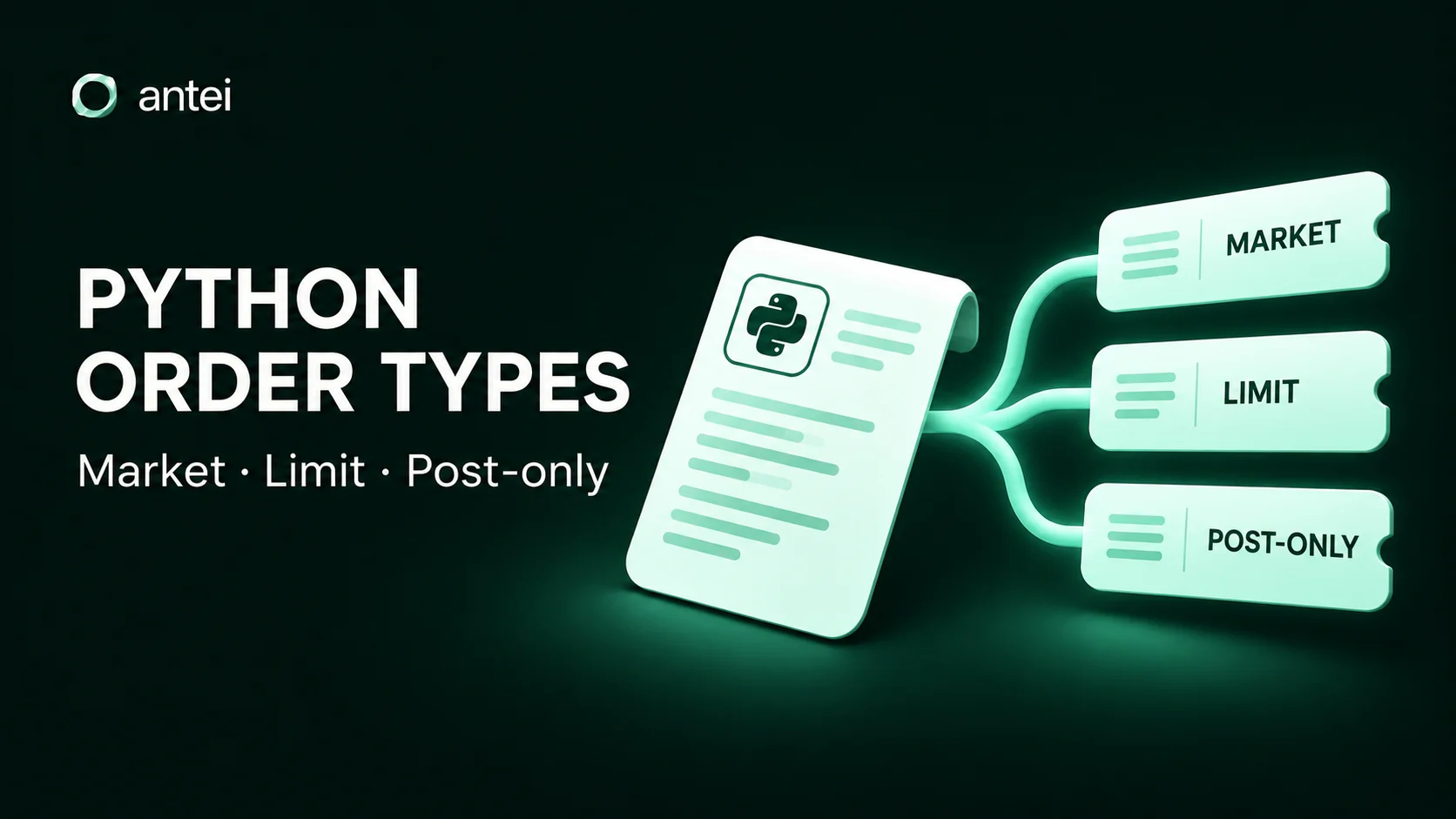
Choose Pine Script when your idea is naturally described with bars, indicators, entries, and exits. Choose Python when your strategy needs custom state, calculations, or more control over how the logic is organized. Both paths should start with paper trading before any live deployment.
Antei separates the strategy workflow from deployment and risk controls.
Choose Pine Script for a faster first deployment
Pine Script is a strong fit when your strategy resembles something you would build in TradingView: moving-average crosses, RSI rules, breakouts, bar-close conditions, stop losses, or take-profit logic. Antei accepts Pine Script versions 3 through 6 and checks the script before it becomes deployable.
The usual workflow is straightforward:
Import or paste your Pine Script.
Review validation messages and unsupported behavior.
Create a strategy version.
Configure the Hyperliquid market, timeframe, warm-up, and order size.
Start with a paper deployment.
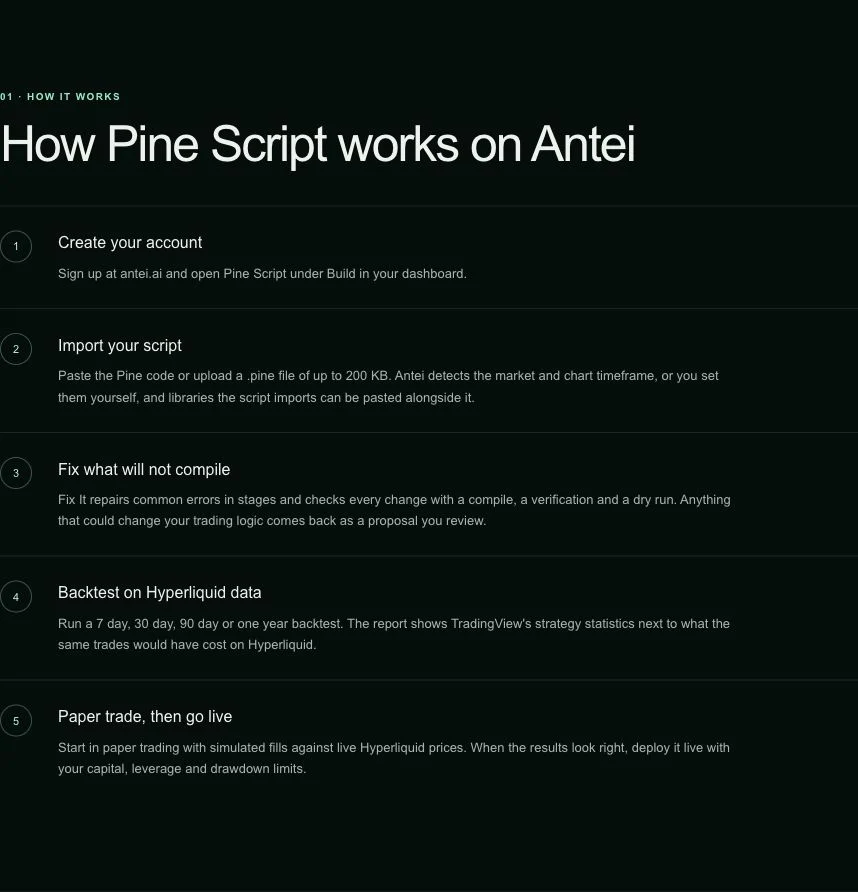
The Pine workflow moves from import and review to versioned deployment.
Pine Script is especially useful when readability matters. Entry and exit rules stay close to the indicators that produce them, so it is easier to compare the automated behavior with the original chart idea.
Choose Python for custom strategy logic
Python is the better option when the logic does not fit neatly into a Pine-style indicator script. It gives you more freedom to organize calculations, maintain strategy state, and build reusable components while Antei handles the hosted execution environment around the strategy.
Use Python when you need:
custom calculations that are awkward to express in Pine Script;
state that carries across bars;
a strategy structure that can grow into multiple modules;
finer control over how signals and decisions are computed.
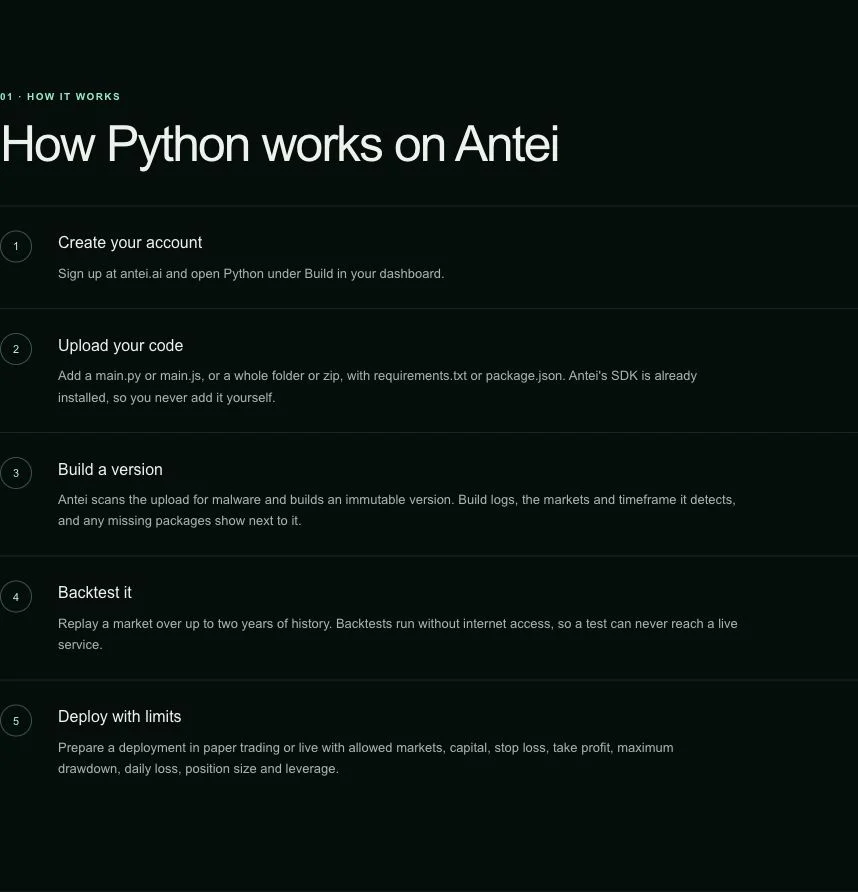
Antei packages and runs Python strategies in a controlled, versioned workflow.
Python does not remove the need for clear deployment settings. Your strategy still needs an explicit market, timeframe, warm-up period, order size, and risk limits. More flexibility in the code should be matched by more disciplined testing.
A simple decision checklist
Choose Pine Script if most answers are yes:
Is the idea already written in Pine?
Does it act primarily on chart bars and indicators?
Do you want the shortest route from TradingView logic to paper testing?
Will one readable script describe the strategy clearly?
Choose Python if most answers are yes:
Does the strategy need custom state or specialized calculations?
Do you want to organize logic into reusable components?
Is the idea difficult to represent as a normal Pine strategy?
Are you comfortable reviewing a larger code surface before deployment?
Ready to test your choice? Start with Antei’s Pine Script workflow if the strategy already lives in TradingView, or open the Python workflow for custom code. Create your Antei account and keep the first deployment in paper trading until the logs and orders match your rules.
What stays the same in both workflows
Whichever language you choose, Antei keeps the operational steps consistent. Every upload becomes a version you can inspect and deploy. A deployment is tied to explicit settings, and platform-level controls sit outside the strategy code. You can review logs, pause a deployment, restart it, or stop it without rewriting the strategy.
That separation is important: code decides when the strategy wants to act, while deployment settings and risk controls define how it is allowed to run.
Frequently asked questions
Can I start in Pine Script and move to Python later?
Yes, but treat the Python implementation as a new strategy version that needs its own validation and paper test. Similar-looking code in two languages is not proof that both behave identically.
Which workflow is better for a beginner?
Pine Script is usually easier for a chart-based first strategy. Python is better when the strategy requirements already demand its flexibility.
Does choosing Python make the strategy safer?
No. Safety comes from validation, paper testing, conservative sizing, platform limits, and active monitoring—not from the programming language.
Final answer
Start with the simplest workflow that can express the strategy accurately. For a TradingView-style idea, use Pine Script. For custom logic and state, use Python. Then create a version, configure the deployment deliberately, and prove the behavior in paper trading before considering live execution.
Risk notice: Trading involves risk. Paper results are simulated and do not guarantee live results.