How to Start a Hyperliquid Paper-Trading Bot Before Going Live

On this page
Use live Hyperliquid prices with simulated fills to verify a strategy’s current behavior before it can submit any real order.
Key Takeaway
Paper trading is the safest first deployment because it tests the live runtime without moving real money. In Antei AI, paper mode processes current Hyperliquid prices and simulates fills. It lets you validate data freshness, warm-up, signal timing, sizing, logs and monitoring before deciding whether the same strategy version is ready for a live review.
Paper results are simulated. They do not guarantee live fills, profits or future performance.
What is Hyperliquid paper trading?
Paper trading runs a strategy against live market prices while keeping execution simulated. Unlike a historical backtest, time moves forward and the runtime must stay healthy. Unlike live trading, the deployment cannot place a real order.
Antei’s paper-trading page is deliberately limited to simulation and includes the risk boundary on the first screen.
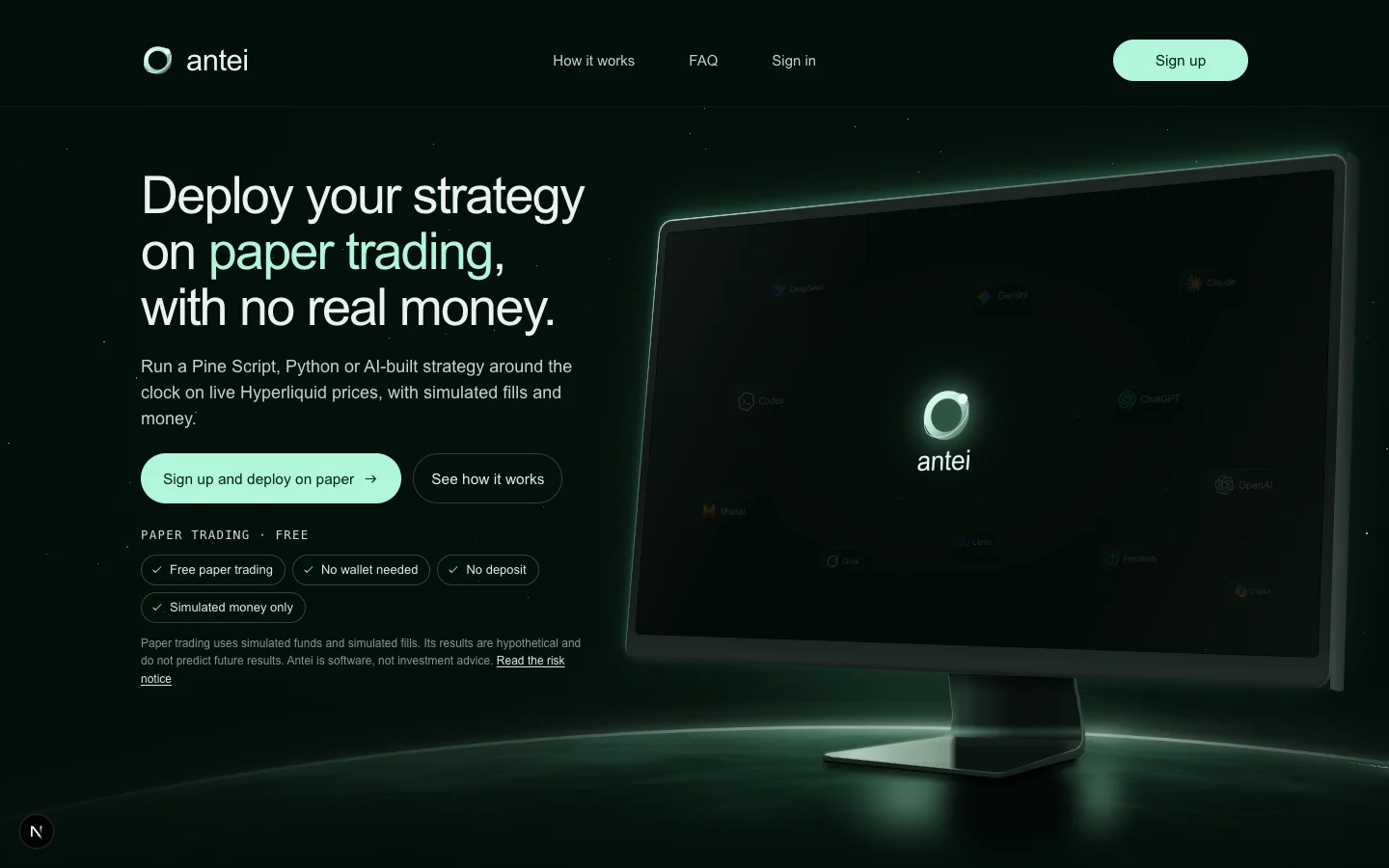
The public product page explains the simulated environment before account setup.
Step 1: Prepare a strategy version
Import a Pine Script strategy or build a Python/Node.js version. Confirm market, timeframe and inputs. A version gives the deployment a fixed artifact; editing local code later does not silently change the running bot.
Historical testing is useful when supported, but the paper deployment answers a different question: does this version behave correctly now?
Step 2: Choose Paper explicitly
Open Deployments, select the strategy and choose Paper rather than Live Hyperliquid.
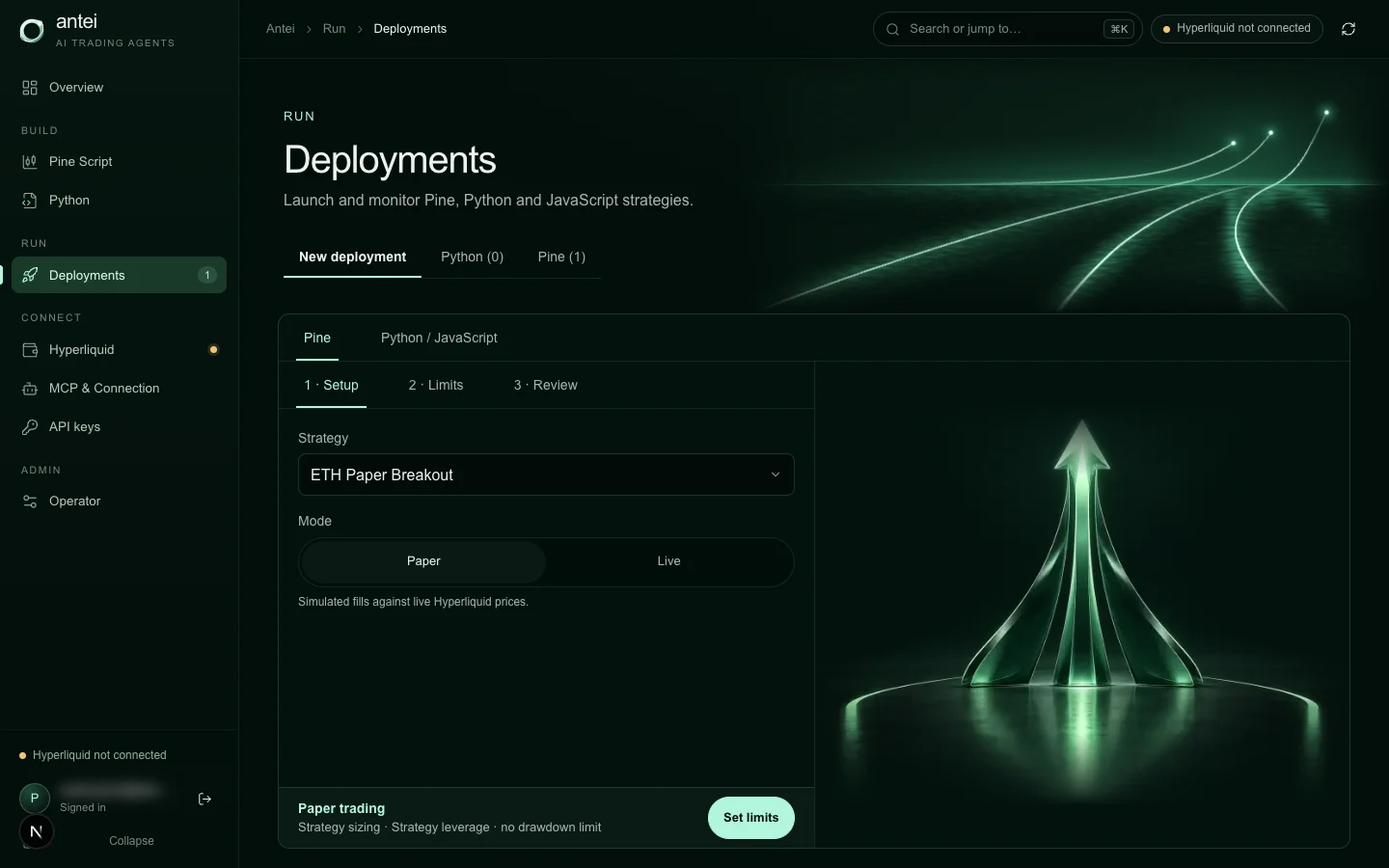
Paper and live are separate deployment modes; only live can submit real orders.
This separation makes it easier to audit intent. A paper deployment should never be described as having moved funds or placed a real exchange order.
Step 3: Set realistic capital and limits
Use capital, leverage and drawdown values that resemble the deployment you may eventually review for live trading. Unrealistic paper capital can hide rounding and minimum-notional problems.
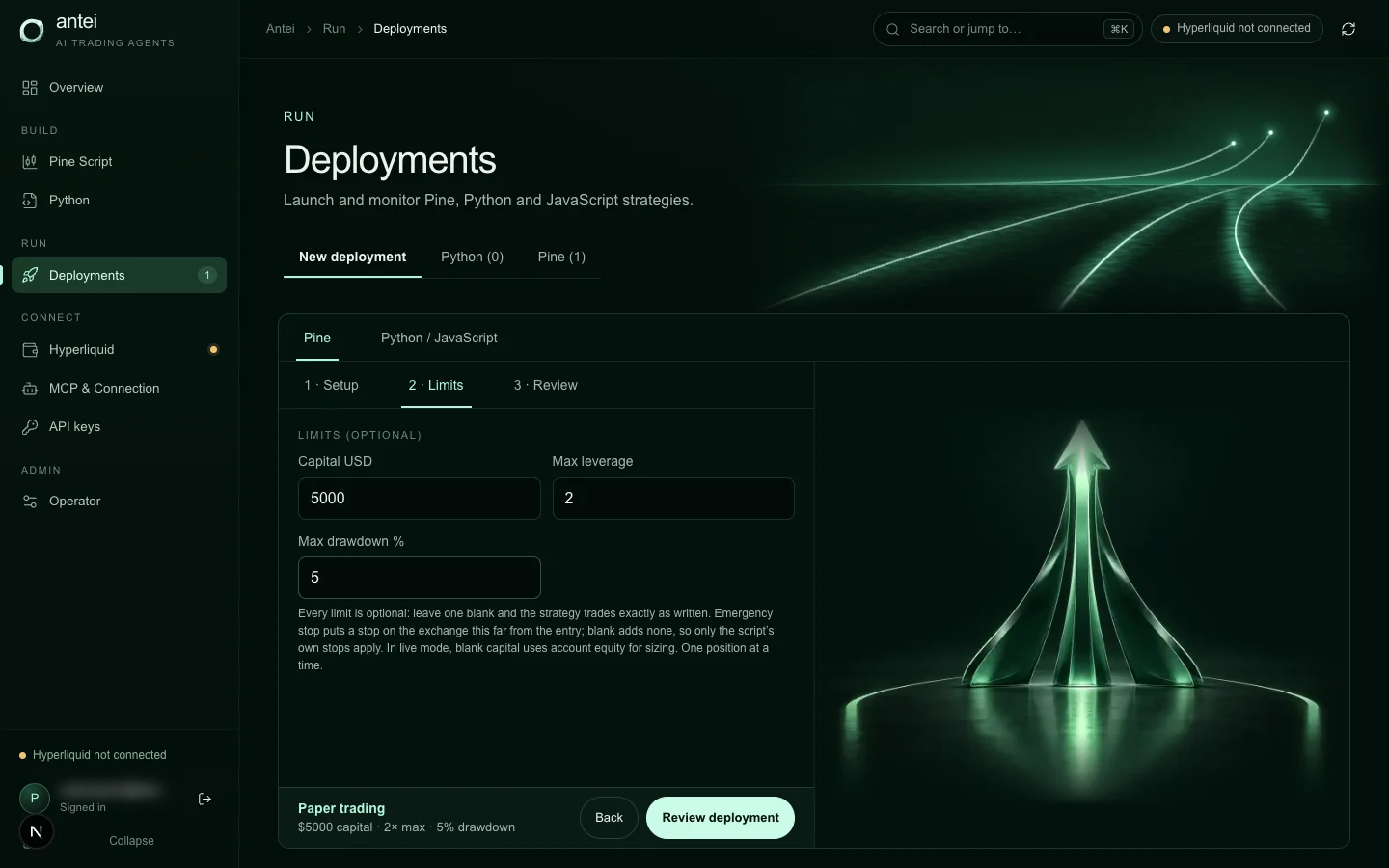
The setup shows simulated capital and external limits before the paper bot starts.
For hosted Python and Node.js versions, add allowed markets, stop/take-profit, daily loss and position-size limits when available.
Step 4: Start the paper deployment and read execution truth
After launch, check the deployment mode, worker state, data freshness, warm-up and entry blocks. “Running” describes the worker; it does not prove that a valid signal occurred.
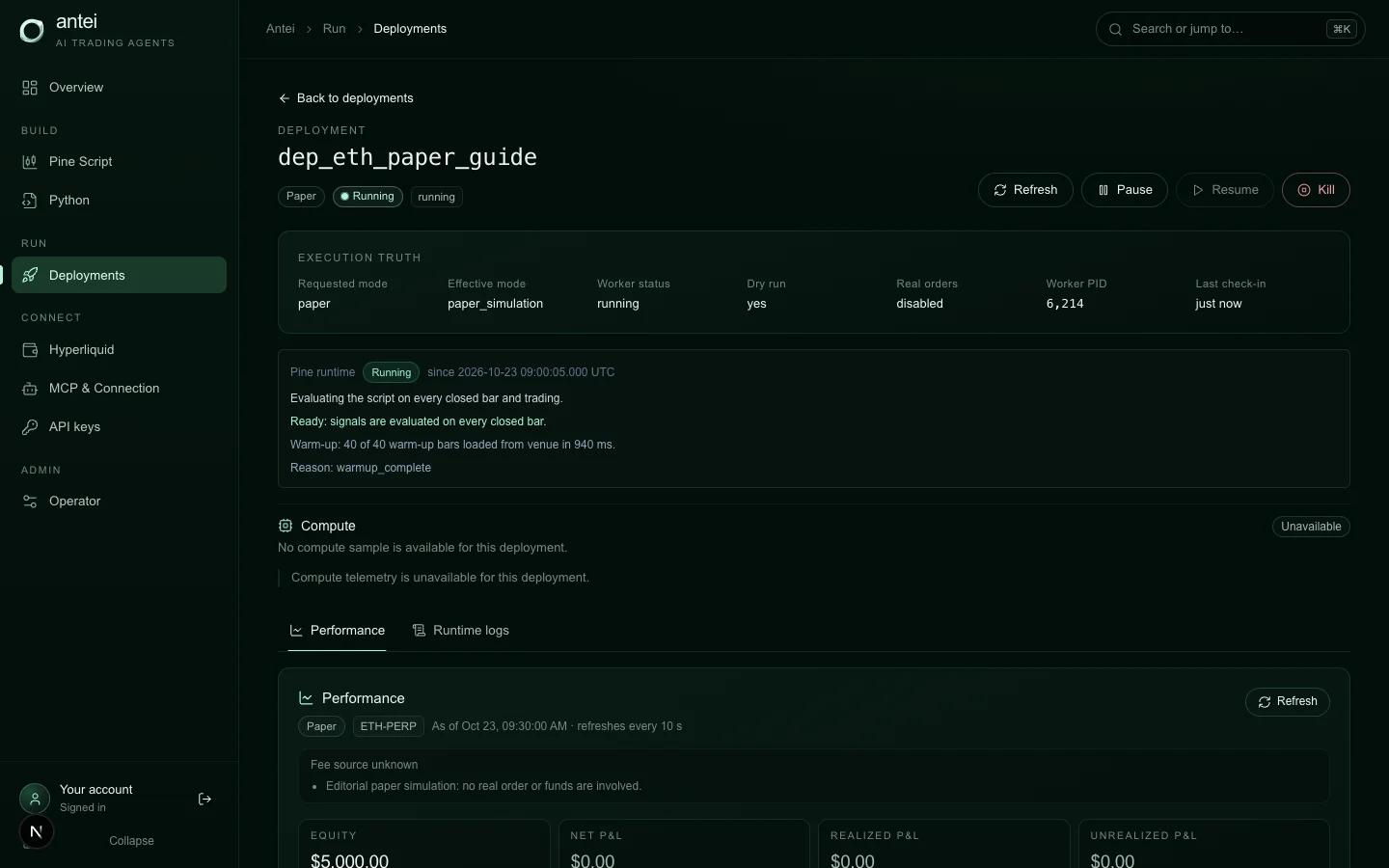
Execution truth confirms paper mode and keeps real-order status visible.
If history is still loading, let warm-up finish. If data is stale, do not infer strategy inactivity from the absence of trades.
Step 5: Review the performance report in context
The report summarizes simulated orders, fills, positions and fees. Use it to verify behavior, not to market a return.
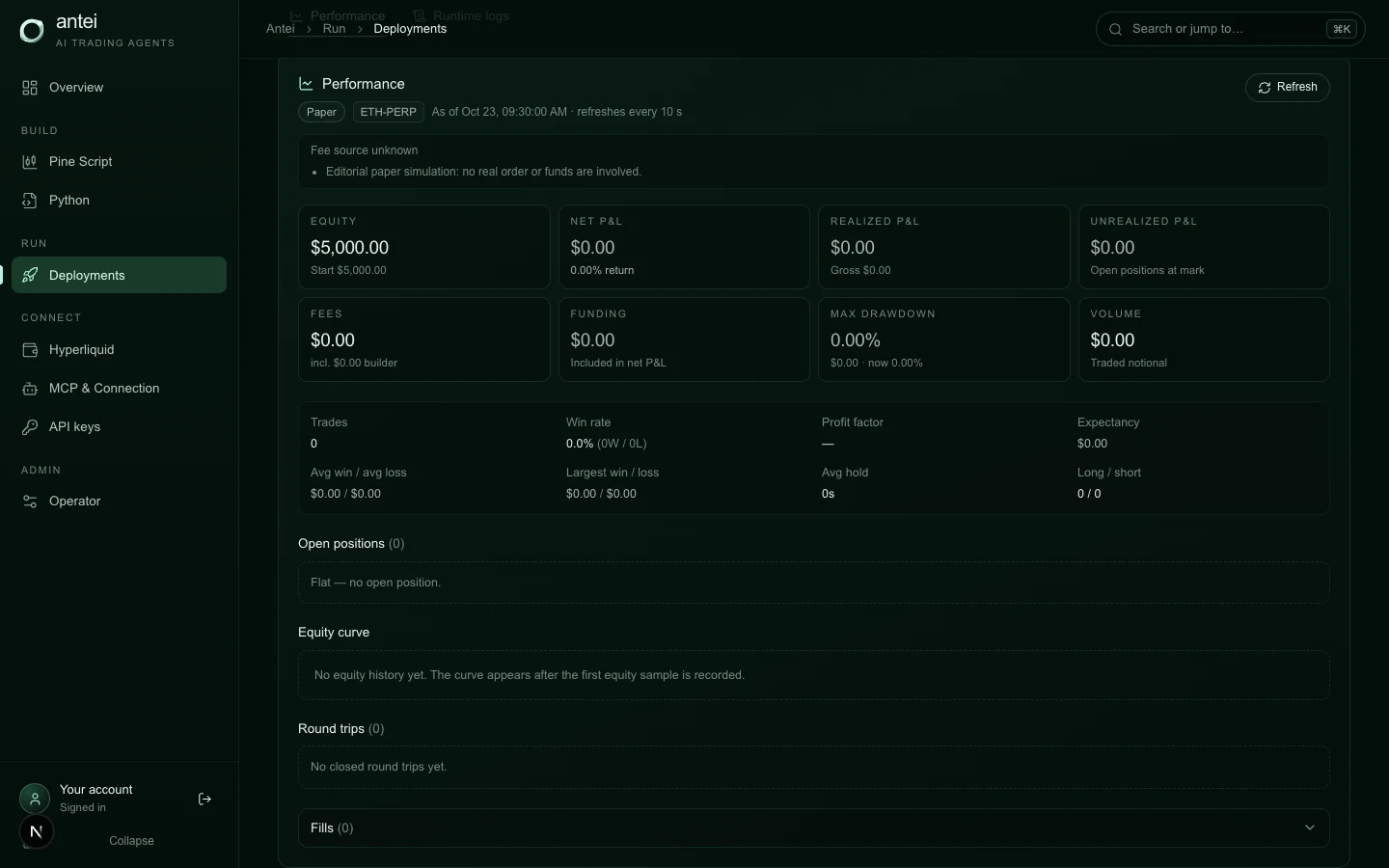
The paper report organizes simulated execution and position information for inspection.
Compare the report with the expected signal frequency. A strategy that should act several times a day but remains flat needs diagnosis; a monthly strategy may legitimately do nothing during a short observation window.
Step 6: Read runtime logs order by order
Logs show whether each requested order was simulated, skipped, resized or refused. They should explain why and what can be changed, including size, estimated value, price and the applicable minimum when relevant.
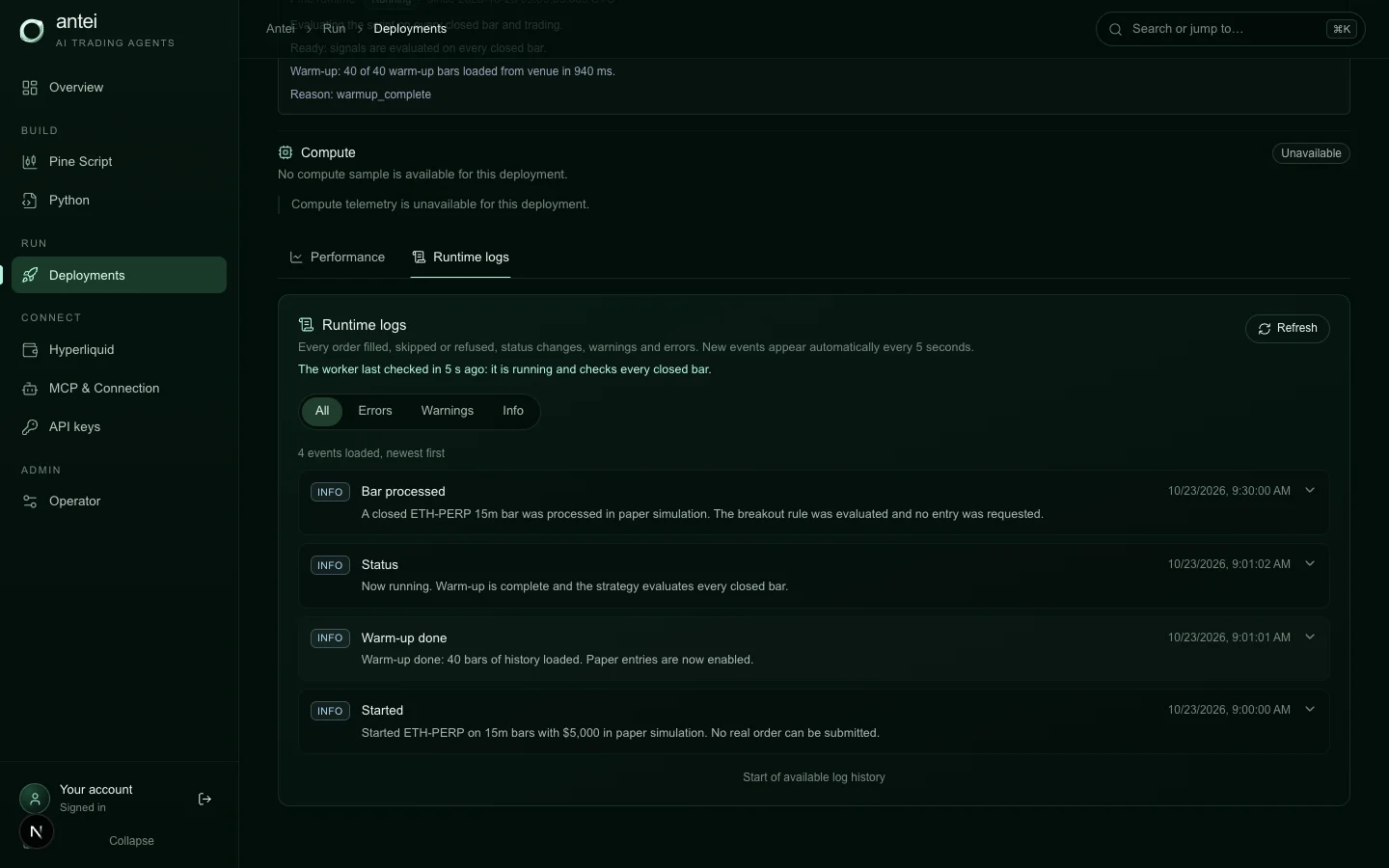
Runtime logs distinguish a heartbeat from a strategy decision and a simulated order event.
Step 7: Use a pre-declared observation plan
Decide in advance what the paper run must demonstrate:
warm-up completes and data remains current;
expected signals are evaluated;
at least one full entry/exit cycle occurs, when strategy frequency permits;
sizes are nonzero and above exchange minimums;
positions and orders reconcile with logs;
risk limits behave as intended;
pause and stop controls are understood.
This keeps the decision from becoming “go live because I am bored.”
Step 8: Create a separate live review
Do not convert the meaning of the paper run. Prepare a live deployment from the exact validated version. Connect and verify a trade-only API wallet, complete required approval, set conservative limits and review the real-order warning.
Paper proof supports a live decision; it does not make the decision automatic.
Frequently Asked Questions
Does paper trading use real Hyperliquid prices?
Yes. It evaluates live Hyperliquid prices with simulated fills. No real order is sent.
Do I need to connect a wallet for paper mode?
Paper trading is designed to run without granting live order permission. A verified wallet is part of live readiness.
How long should I paper trade?
Long enough to observe meaningful decision opportunities for the strategy. Use expected signal frequency, not a generic number of days.
Why can paper and live results differ?
Real execution includes latency, liquidity, slippage, queue position, rejection and changing prices. Simulation cannot reproduce every venue outcome.
Should I increase limits when paper orders are blocked?
First diagnose the mismatch. A block may reveal faulty sizing or an unintended market, not an overly strict limit.
Final Answer
Start your Hyperliquid bot in Antei AI’s paper mode, keep the strategy version fixed, set realistic limits and inspect execution truth, reports and per-order logs. Move to a separate live review only after the paper run proves that the runtime—not just the backtest—behaves as intended.