How to Launch a Hyperliquid Trading Bot with Built-In Risk Limits

On this page
A product-led guide to setting capital, leverage, drawdown and execution limits before a Hyperliquid bot can place real orders.
Key Takeaway
A safer bot does not rely on one if statement inside its own code to protect the account. Antei AI enforces deployment limits in the order system outside the strategy. Every strategy can be bounded by capital, maximum leverage and maximum drawdown; hosted Python and Node.js strategies can also use allowed markets, default stop loss and take profit, maximum daily loss and maximum position size.
Risk limits reduce exposure; they do not remove trading risk or guarantee that a loss stops at an exact price.
Why should limits live outside the bot?
Strategy code can contain a bug, use stale state, misread a parameter or simply stop running. If all protection lives inside that same process, one failure can disable both the trading decision and its guardrail.
Antei’s deployment layer checks orders after the strategy requests them. That creates a separate control boundary between “the strategy wants this” and “the account is allowed to do this.”
Step 1: Choose paper or live before setting limits
Paper mode simulates fills against live Hyperliquid prices. Live mode sends real orders through the connected API wallet. Build the limits in paper first so you can see whether normal signals fit inside them.
Step 2: Define the capital allocation
Capital is the amount assigned to the deployment, not a prediction of how much it will earn. Use an amount small enough that a logic error, market gap or operational mistake remains survivable.
For Pine Script deployments, the setup keeps the core limits focused: capital, maximum leverage and maximum drawdown.
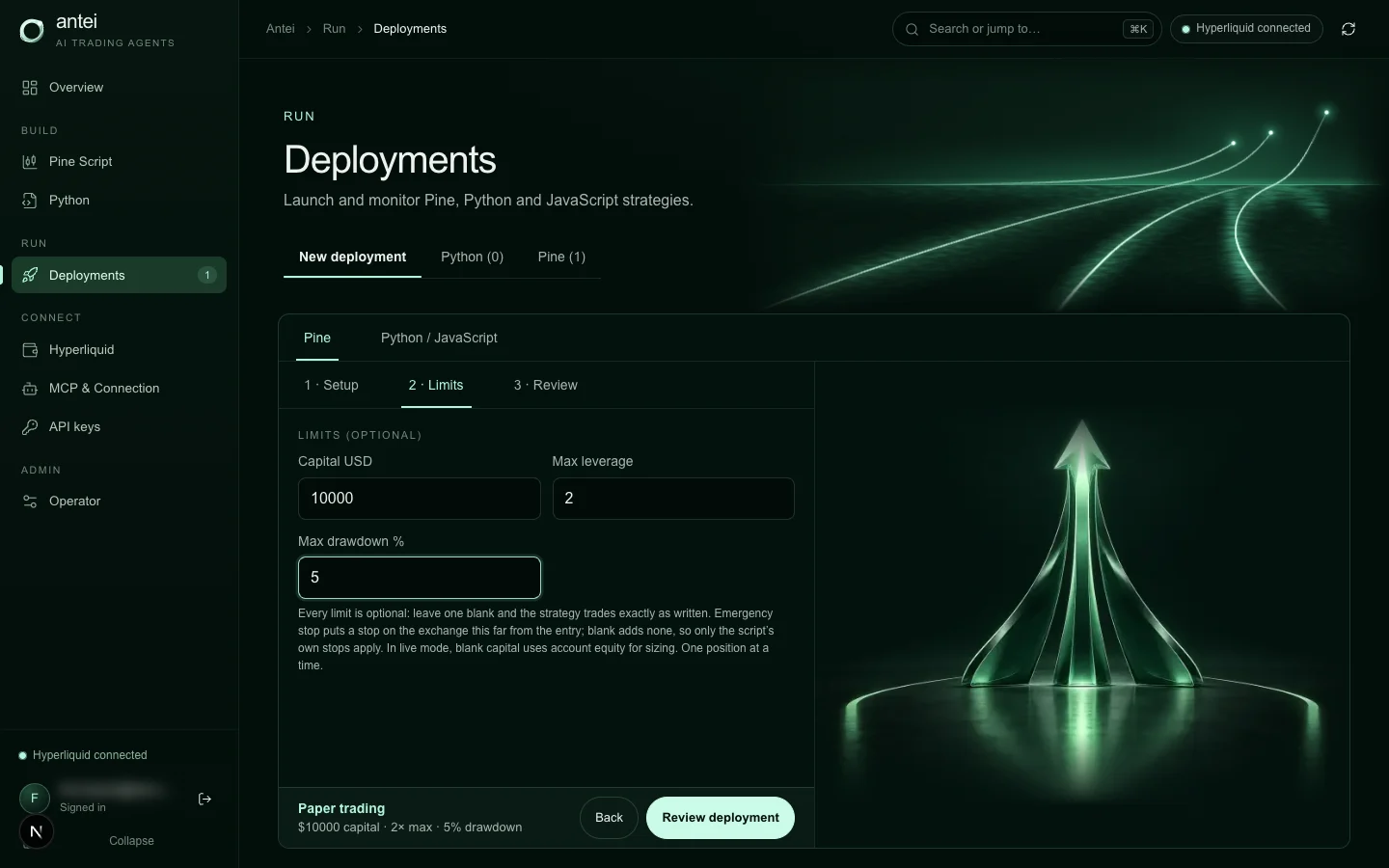
Antei’s Pine deployment form separates capital, leverage and drawdown before review.
Step 3: Cap leverage explicitly
Maximum leverage should be treated as a ceiling, not a target. If an order does not set leverage itself, the deployment review can require explicit confirmation of the default used for that order.
Lower leverage generally leaves more distance to liquidation, but it cannot prevent loss. The strategy, position size, market volatility and stop behavior still matter.
Step 4: Set a drawdown ceiling
Maximum drawdown is a deployment-level stop condition. Antei measures it against the deployment’s own persisted basis, so deposits, withdrawals and restarts do not silently reset the comparison.
Choose a threshold based on what invalidates the deployment, not what makes a backtest look best. If ordinary noise constantly reaches the ceiling, fix the strategy or position sizing instead of automatically widening the limit.
Step 5: Add hosted-bot controls where available
Python and Node.js deployments expose a broader risk envelope:
allowed Hyperliquid markets;
default stop loss and take profit;
maximum daily loss;
maximum position size or notional;
capital, leverage and drawdown.
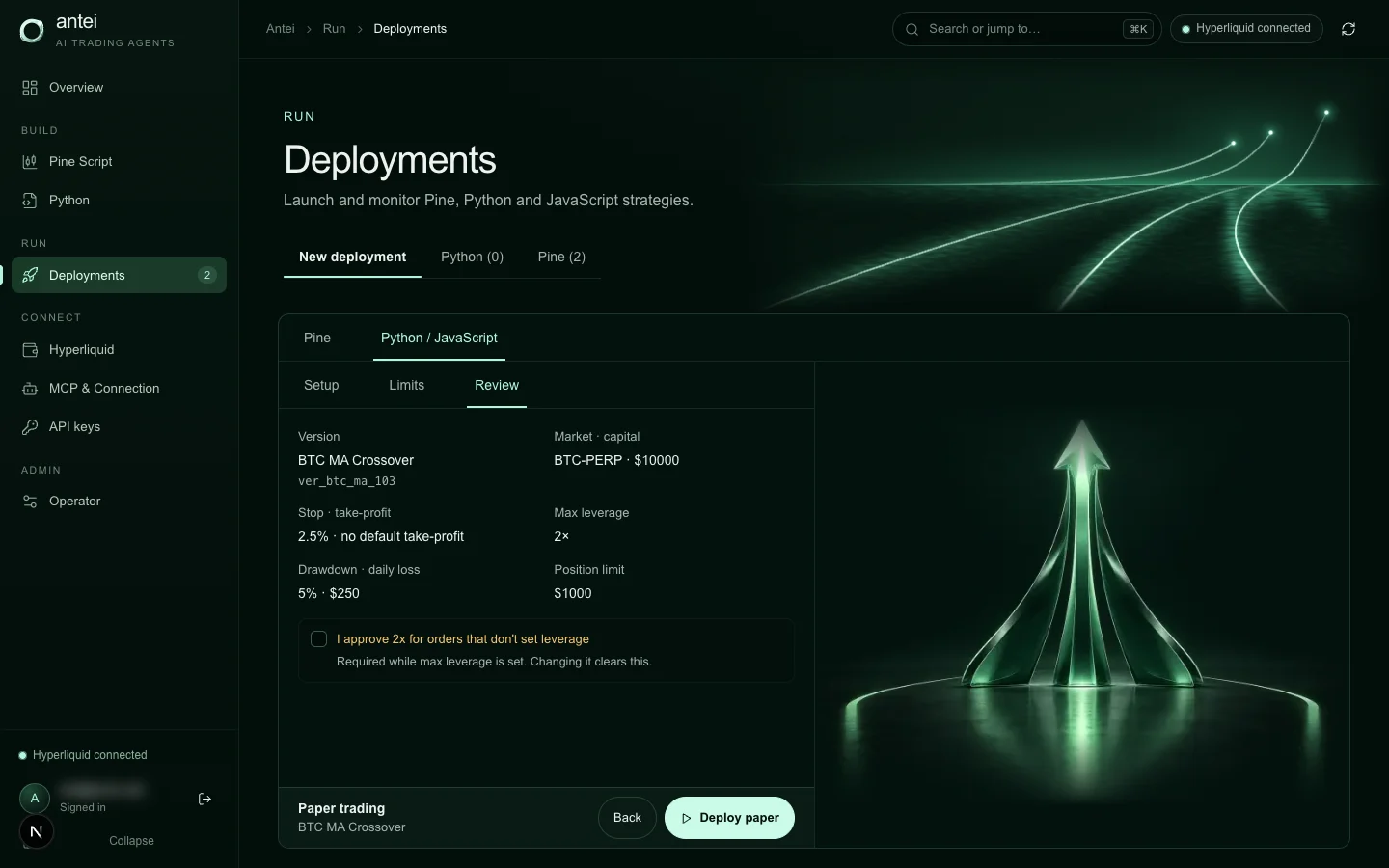
The hosted deployment review shows market, capital, stop, leverage, drawdown, daily loss and position limits together.
Allowed markets prevent a strategy from drifting to an unintended symbol. Position limits constrain the size of one exposure. Daily loss limits create a shorter reset window than total drawdown. A default protective stop is a fallback, not a substitute for reviewing the strategy’s exit logic.
Step 6: Check the live review, not just the form
Before live execution, verify that the review screen reflects the values you intended. This is the last human-readable boundary before real orders.
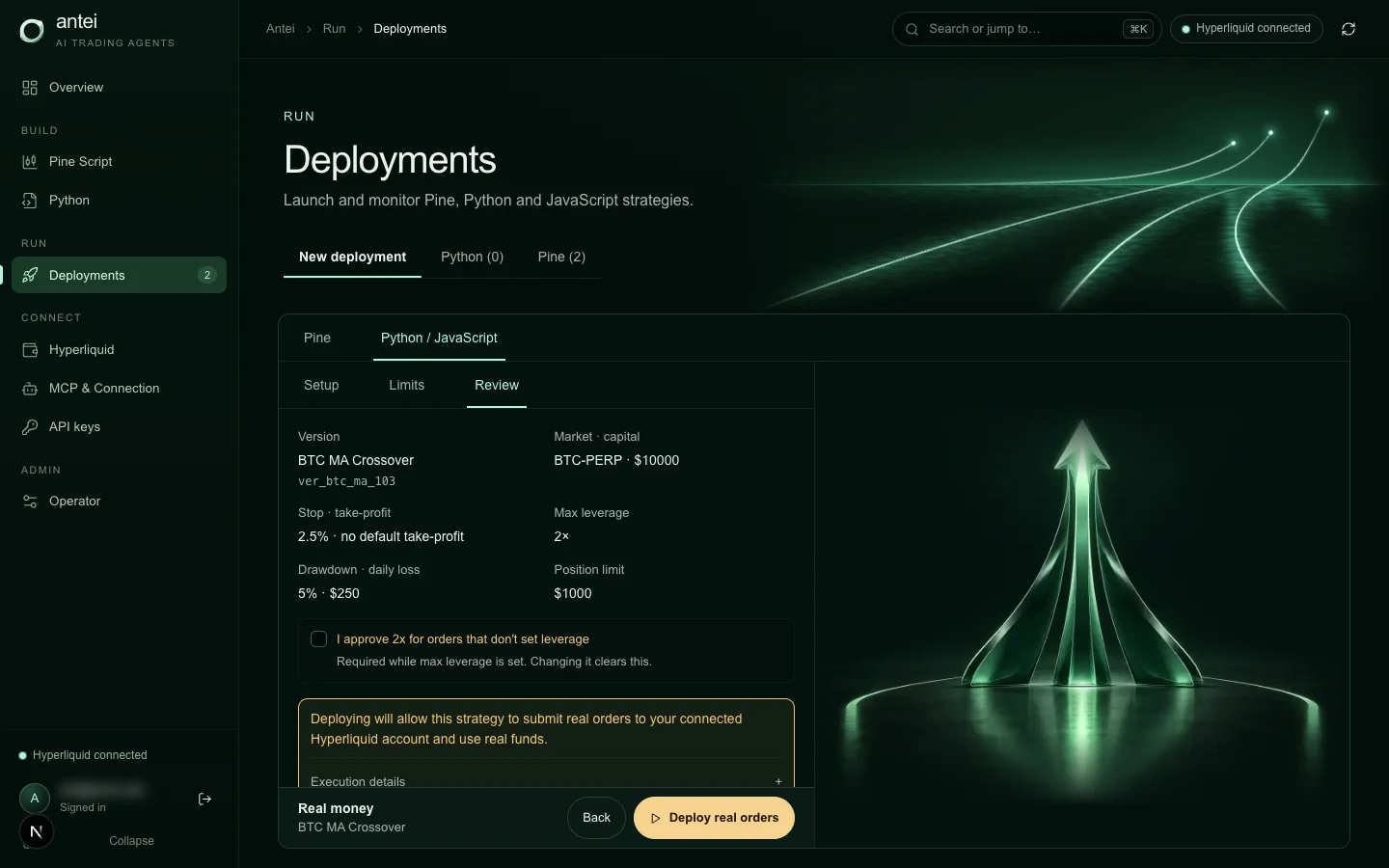
Live review states that the deployment can submit real orders and surfaces the confirmed limits beside the selected version.
If a value is missing, surprising or too permissive, go back. Do not rely on memory or a spreadsheet when the actual execution configuration is visible.
Step 7: Monitor whether limits are changing behavior
After launch, the deployment’s execution truth and runtime logs show what happened. An order can be skipped, adjusted, rejected or filled. A running badge by itself is not evidence that the strategy is trading normally.
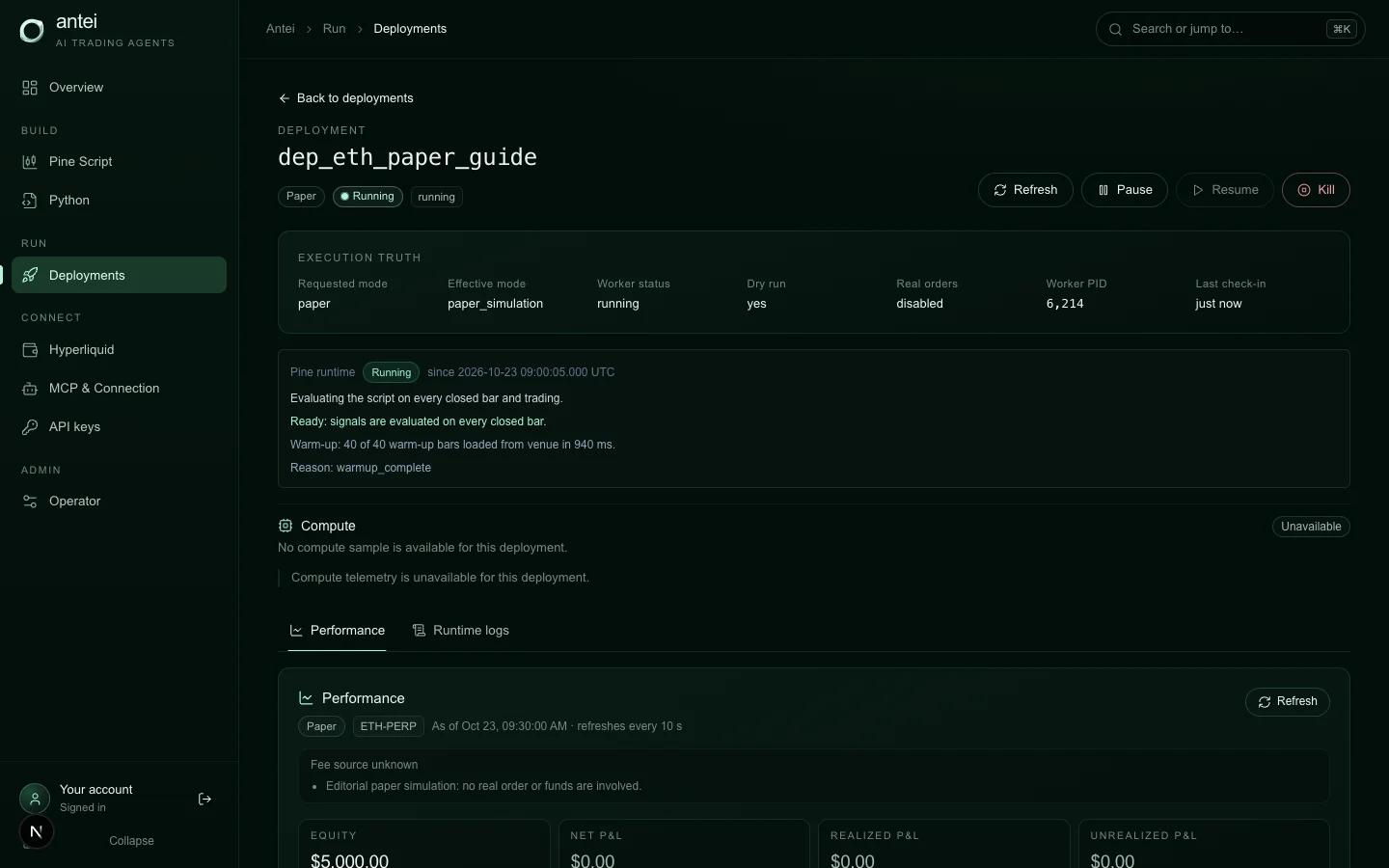
Execution truth distinguishes paper mode, worker state and whether real orders are enabled.
When a limit blocks or resizes repeated orders, fix the mismatch between strategy intent and account policy. Repeatedly loosening the guardrail is not diagnosis.
What happens when you press Kill?
Kill is designed as an exit control: the platform stops the strategy, cancels its resting orders and closes its positions. Venue confirmation matters; if the account cannot be confirmed flat, protection is not silently declared complete.
Pause and kill serve different purposes. Pause stops the strategy while preserving the deployment for later resumption. Kill is for ending the run and flattening its exposure.
A sensible starter policy
For a first deployment, use one allowed market, conservative capital, low maximum leverage, a clear drawdown ceiling, a daily loss limit below the total drawdown limit, and a position cap that prevents accidental concentration. Test those values in paper mode long enough to see both normal entries and blocked behavior.
Frequently Asked Questions
Can a risk limit guarantee my maximum loss?
No. Fast markets, gaps, liquidity and execution uncertainty can produce worse fills. Limits reduce and constrain risk; they do not create a guaranteed price.
Can strategy code bypass Antei AI’s deployment limits?
Orders go through Antei’s order system, where deployment limits are checked outside the strategy process.
Which limits apply to every strategy?
Capital, maximum leverage and maximum drawdown apply across deployment types. Python and Node.js add allowed markets, default stop/take-profit, daily loss and position-size controls.
Should I start live with my backtest capital?
Not automatically. Historical starting capital is a test assumption. Live allocation should reflect real tolerance for operational and market risk.
Final Answer
To launch a Hyperliquid bot with built-in risk limits, set the account policy before the bot starts: allocate capital, cap leverage, define drawdown and—where supported—restrict markets, daily loss and position size. Review those values in Antei AI, prove the behavior in paper mode, and only then cross the real-order boundary.