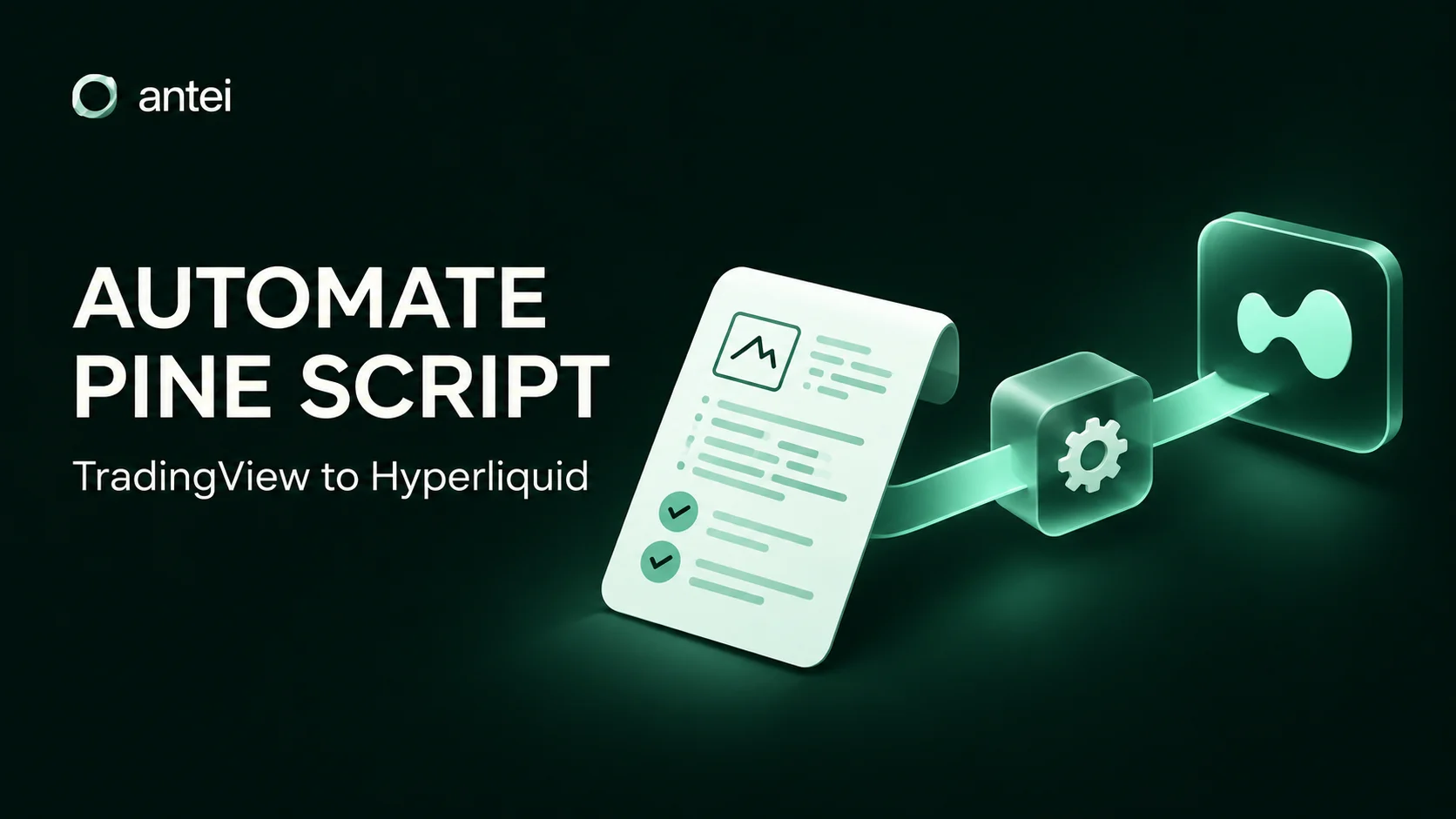
How to Automate a TradingView Pine Script Strategy on Hyperliquid with Antei AI
Learn how to run your Pine Script strategies on Hyperliquid using Antei. Eliminate the need for webhooks, alerts, or local servers with our managed runtime.

On this page
Quick Answer
You can automate your Pine Script strategy on Hyperliquid by importing your code into the Antei platform. Antei runs your strategy on its own managed infrastructure at every bar close, meaning you do not need to keep a computer running, configure TradingView alerts, or set up complex webhooks. Once you upload your script, Antei handles the historical backtesting, simulated paper trading, and live execution. Your strategy logic remains yours, while Antei provides the execution environment, risk management, and connectivity to Hyperliquid markets. You can start your journey by signing up at https://antei.ai/signup?utm_source=Blogs&utm_medium=Website&utm_campaign=socialmediateam.
Key Takeaways
Antei runs your Pine Script logic on a managed server, removing the need for local machines or TradingView webhooks.
The workflow follows a strict path: import, backtest, paper trade, and finally, live deployment.
Antei executes your strategy at the close of each bar based on the timeframe you select.
Risk limits are enforced at the platform level, ensuring your strategy cannot exceed predefined exposure rules.
You can monitor your bot performance through the Antei dashboard without needing an always-open computer.
The Mechanics of Pine Script Automation
Automating a strategy usually involves a bridge between your logic and the exchange. In a typical manual setup, you might use TradingView webhooks to send signals to a local server that translates those signals into API calls. This is fragile: if your internet drops or your computer sleeps, your trades stop. This approach also requires you to maintain a server, manage security patches, and ensure your API keys are handled correctly.
Antei changes this by acting as the runtime environment. When you upload your Pine Script (versions 3 to 6), Antei parses the logic and runs it within its own engine. Because the engine is hosted, it does not depend on your local browser or an active TradingView session. It monitors the Hyperliquid market data directly, calculates your strategy signals at the close of every bar, and sends orders only when your conditions are met. Your exchange keys never reach your strategy code, as Antei manages the secure connection to Hyperliquid separately.
Why the Bar Close Matters
Antei executes strategies at the close of the candle. This is a deliberate design choice to ensure consistency. By waiting for the bar to close, the strategy avoids the noise of intra-bar volatility and ensures that the signals generated are based on confirmed price data. This aligns your automated execution with the way you likely backtested the strategy in your editor. It also prevents the bot from reacting to temporary price spikes that might not result in a valid signal at the end of the period.
Step-by-Step Workflow
Follow this sequence to move from a local script to a live Hyperliquid agent.
1. Prepare and Import
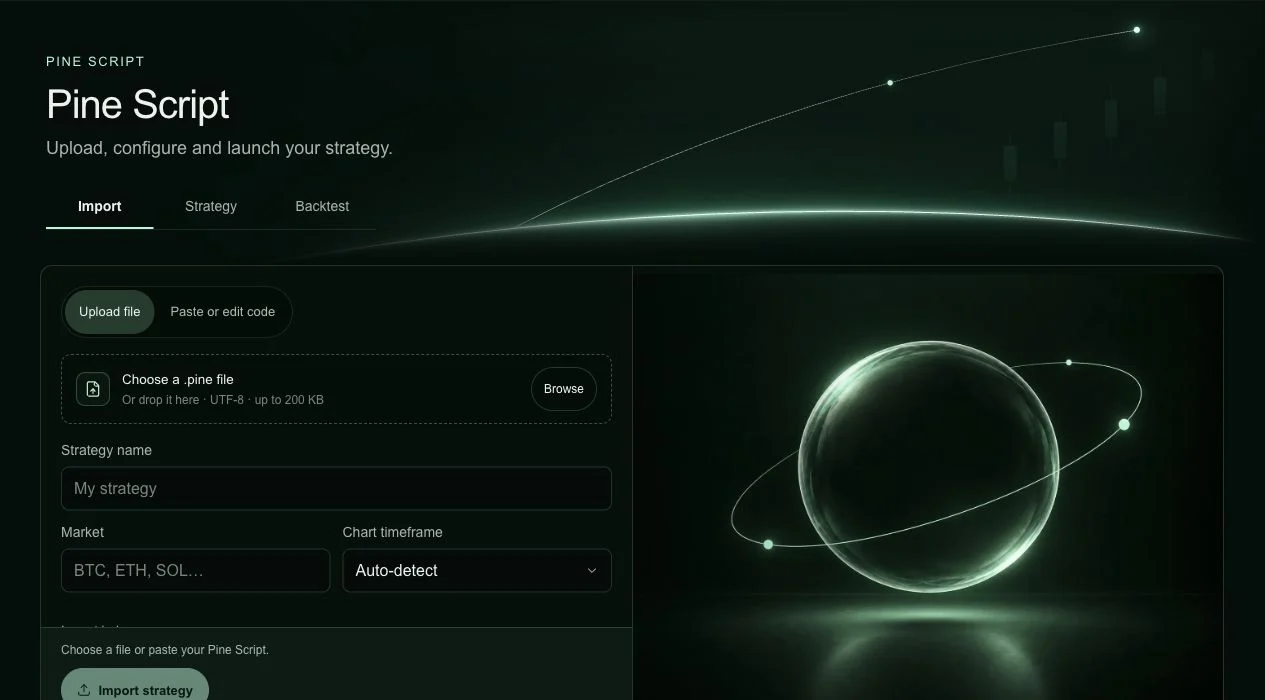
First, ensure your Pine Script is clean and self-contained. Navigate to the Antei dashboard and locate the Pine Import screen. Upload your file or paste the code directly. Antei will perform an initial validation to ensure the syntax is compatible with the supported versions. This screen is your starting point for every new strategy.
2. Configure Strategy Parameters
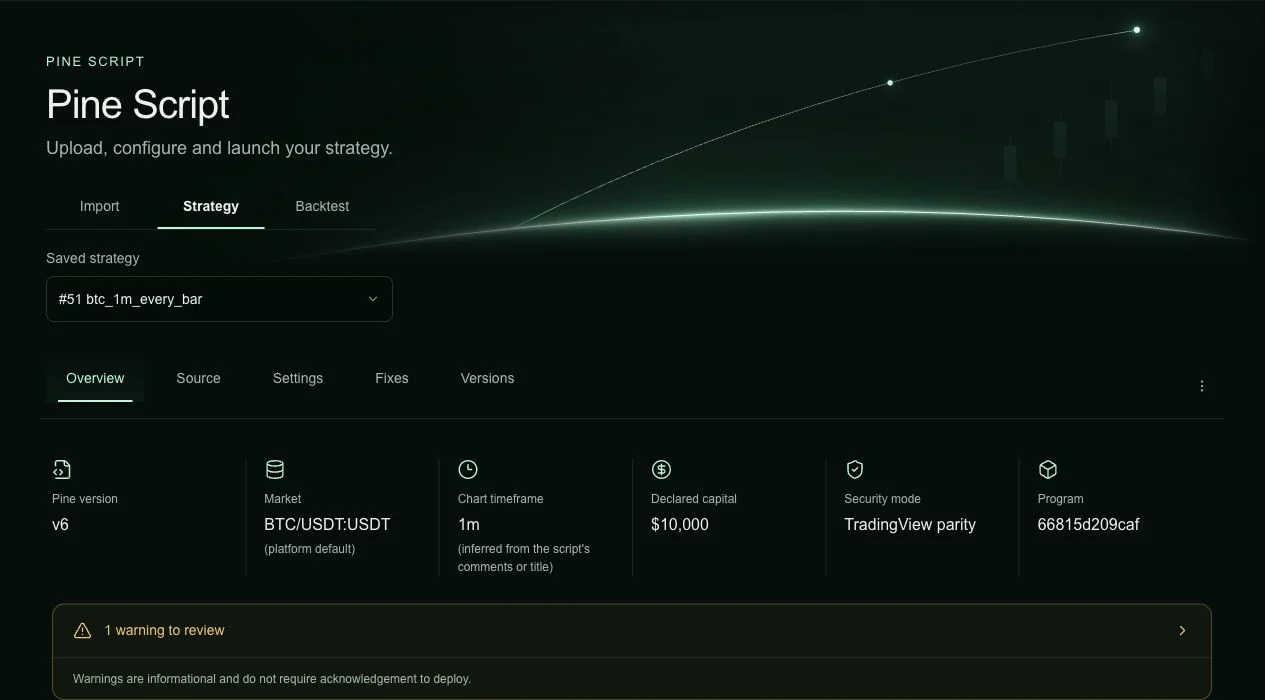
Once imported, go to the Strategy Overview. You must select the specific Hyperliquid perpetual market (e.g., PURR/USDC) and the timeframe (e.g., 15-minute). These settings are immutable once the bot is running, so verify them carefully. If your strategy requires a warm-up period to calculate moving averages or other indicators, ensure you provide sufficient historical data in the settings. This ensures the indicators are accurate from the moment the bot starts.
3. Run Historical Backtests
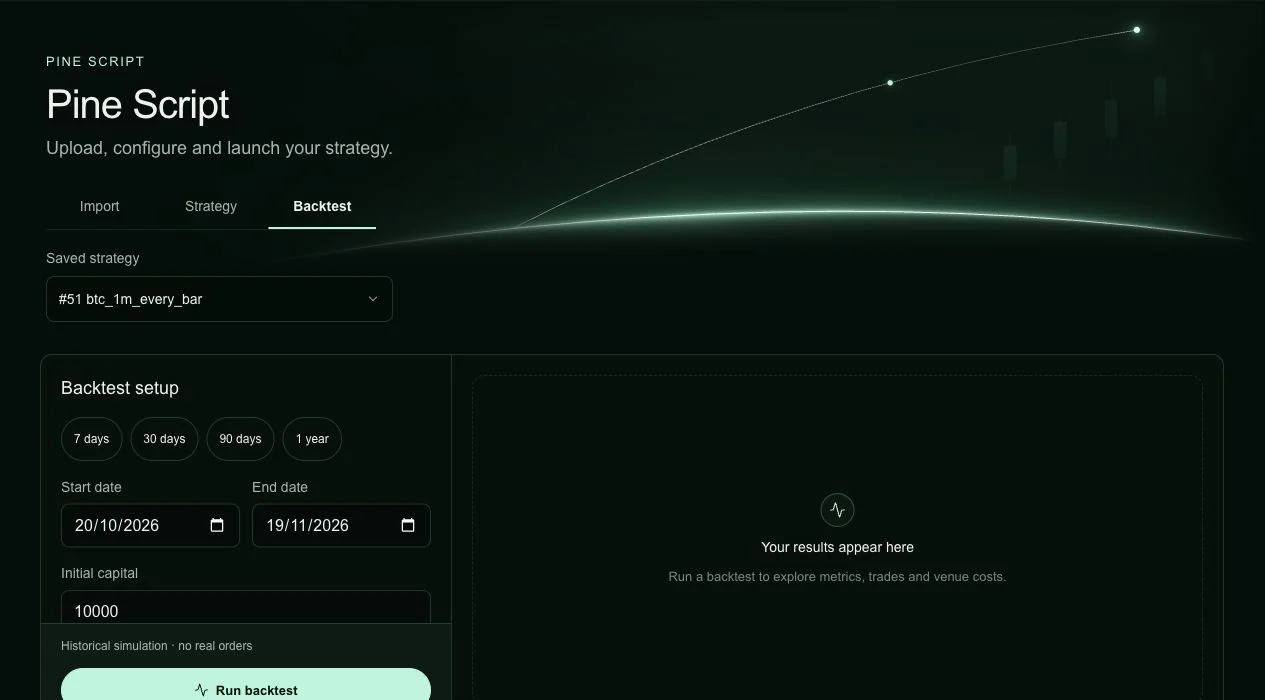
Before risking capital, use the Backtest Setup to run your strategy against historical Hyperliquid market data. This is not a guarantee of future performance, but it is a vital sanity check. Look for execution patterns that seem off, such as excessive slippage or unexpected order sizes. If the backtest results deviate significantly from your expectations, revisit your Pine Script logic. You can adjust your code and re-import until the behavior matches your intent.
4. Start Paper Trading
Never jump straight to live trading. Start a paper-trading deployment. In this mode, Antei uses simulated fills. This allows you to observe how the bot interacts with the market in real time without using your actual funds. Watch the logs to ensure the bot is placing orders at the times you expect. This phase is critical for verifying that your logic handles market conditions as you anticipate.
5. Deploy Live
Once you are satisfied with the paper-trading evidence, you can move to live trading. Antei will send real orders to your Hyperliquid account. Remember that Antei enforces risk limits outside of your code, so even if your script has a bug, the platform will prevent it from exceeding your defined position size or leverage limits. Always start with small, conservative limits to verify the live integration.
Worked Example: A Simple Trend Follower
Imagine you have a simple strategy that buys when the 50-period EMA crosses above the 200-period EMA.
Example Strategy: 50/200 EMA Crossover.
Market: 1,000 USD position size on a 15-minute timeframe.
Execution: At the close of the 15-minute candle, if the EMA condition is met, Antei sends a market order for 1,000 USD worth of the asset.
In this example, if the market is currently at 10.00 USD, the bot places an order for 100 units. If the price moves to 10.50 USD by the next 15-minute bar close and the trend remains, the bot maintains the position or adds to it depending on your script logic. Because Antei manages the runtime, you do not need to worry about the bot missing a signal while you are away from your desk. The system handles the order routing and ensures the trade is placed according to your defined risk parameters.
Failure Modes and Troubleshooting
Even with a robust platform, things can go wrong. Understanding these failure modes is part of being a responsible agent developer.
Failure Mode | Cause | Solution |
|---|---|---|
Strategy not firing | Timeframe mismatch | Verify the chart timeframe matches the strategy logic |
Unexpected order size | Incorrect parameter | Check your position sizing logic in the script |
High latency | Network congestion | Antei handles execution, but ensure your risk limits are not too restrictive |
Logic errors | Syntax or logic bugs | Use the Antei log viewer to debug specific execution errors |
If your bot stops, check the Antei dashboard logs first. Often, a strategy stops because it hit a risk limit you configured, which is a feature, not a bug. If the logs show an execution error, it is likely a logic issue within the Pine Script itself. You can then update your code, create a new version, and redeploy.
Frequently Asked Questions
Do I need to keep my computer on for the bot to run?
No. Antei runs your strategy on its own infrastructure. Once you deploy, the bot operates independently of your local machine, internet connection, or browser status. You can close your laptop and the bot will continue to monitor the market.
Can I import my strategy directly from my TradingView account?
No. Antei does not connect to your TradingView account or import directly from their servers. You must copy your Pine Script code and paste it into the Antei platform to begin the setup process. This ensures you have full control over the code being deployed.
Does Antei support all Pine Script versions?
Antei supports Pine Script versions 3 through 6. Ensure your script is updated to one of these versions before attempting an import. If you are using an older version, you may need to update the syntax to comply with current standards.
What happens if my strategy logic has a bug?
Antei provides logs for every action taken by your bot. If your logic contains a bug, you will see the error in the logs. Furthermore, Antei's external risk limits act as a safety net, preventing the bot from placing orders that violate your account's risk parameters. This separation of concerns protects your capital even if the strategy logic fails.
Risk Note
This article is for educational purposes only and does not constitute investment advice. Trading perpetual futures on Hyperliquid involves significant risk, including the potential to lose more than your initial margin due to the nature of leverage and liquidation. Backtests and simulated paper trading results are based on historical data and do not guarantee future performance. Always test your strategies thoroughly in a paper-trading environment before deploying real capital, and ensure you understand the risk limits you have configured for your agents.